
ALiGN Tools
  • Home
  • Table of Contents
  • Career Counsellor
    • The Spark Portrait
    • The Splash App
    • Presentation (1 of 2)
    • Presentation (2 of 2)
    • Lumina Splash App
    • Facilitator Guide
    • Job Seeker Dashboard
    • Job Aid for Employers
  • Job Seekers
    • Spark Portrait - Video
    • Spark Portrait - Workbook
    • Notes for Career Counsellors
    • Strategies for Working Together
    • Job Seeker Questionnaire
    • Completing the Assessment
    • My Personal ALiGN Guide
    • Job Fit Guide
    • Job Ad Activity - Examples
    • ALiGN Career Workbook
    • Lumina Splash App Instructions
  • Home
  • Table of Contents
  • Career Counsellor
    • The Spark Portrait
    • The Splash App
    • Presentation (1 of 2)
    • Presentation (2 of 2)
    • Lumina Splash App
    • Facilitator Guide
    • Job Seeker Dashboard
    • Job Aid for Employers
  • Job Seekers
    • Spark Portrait - Video
    • Spark Portrait - Workbook
    • Notes for Career Counsellors
    • Strategies for Working Together
    • Job Seeker Questionnaire
    • Completing the Assessment
    • My Personal ALiGN Guide
    • Job Fit Guide
    • Job Ad Activity - Examples
    • ALiGN Career Workbook
    • Lumina Splash App Instructions
Picture
Module 1 - Spark Portrait

ALiGN Job Seeker Questionnaire

ALiGN Toolkit

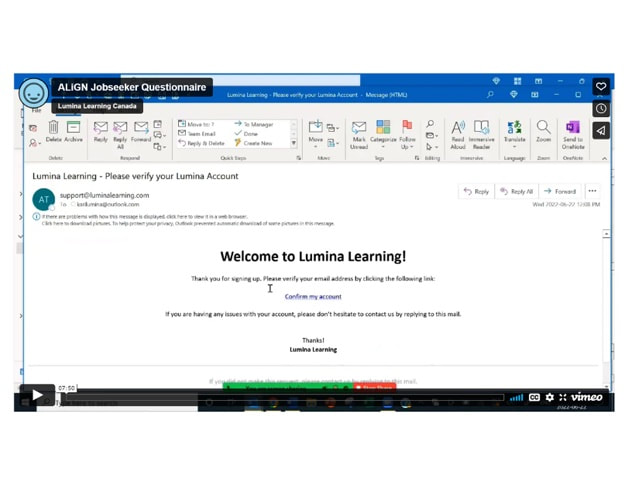
ALiGN Jobseeker Questionnaire (video)

Use this Video to help job seekers set up a Lumina account, sign in to your Lumina account and complete the Lumina Assessment.  The job aid provides step-by-step instructions to help you achieve these tasks.

Picture
Audience: Job Seeker
Format:  Video

Picture
  • Create an Account
  • Sign into Your New Account
  • Complete the Assessment

Picture
  • Save the link to view in a classroom setting.
  • Send the link to job seekers.

Picture
  • Use as a tool to help with the ALiGN Toolkit - Presentation 1 of 2.
  • Run through steps together in a classroom setting.
  • Assign tasks to job seekers to complete.

Picture
  • Facilitate the lessons and activities provided in the Lumina for ALiGN Associates modules.
  • Continue with activities on improving the job seekers’ resumes, cover letters or interview performance such as ALiGN Toolkit Presentation 2 of 2 or section three of the My Personal ALiGN Guide.
← Strategies for Working Together
Completing the Assessment →
Picture
Picture
Picture

Copyright © 2024 OTEC
  • Home
  • Table of Contents
  • Career Counsellor
    • The Spark Portrait
    • The Splash App
    • Presentation (1 of 2)
    • Presentation (2 of 2)
    • Lumina Splash App
    • Facilitator Guide
    • Job Seeker Dashboard
    • Job Aid for Employers
  • Job Seekers
    • Spark Portrait - Video
    • Spark Portrait - Workbook
    • Notes for Career Counsellors
    • Strategies for Working Together
    • Job Seeker Questionnaire
    • Completing the Assessment
    • My Personal ALiGN Guide
    • Job Fit Guide
    • Job Ad Activity - Examples
    • ALiGN Career Workbook
    • Lumina Splash App Instructions