
ALiGN Tools
  • Home
  • Table of Contents
  • Career Counsellor
    • The Spark Portrait
    • The Splash App
    • Presentation (1 of 2)
    • Presentation (2 of 2)
    • Lumina Splash App
    • Facilitator Guide
    • Job Seeker Dashboard
    • Job Aid for Employers
  • Job Seekers
    • Spark Portrait - Video
    • Spark Portrait - Workbook
    • Notes for Career Counsellors
    • Strategies for Working Together
    • Job Seeker Questionnaire
    • Completing the Assessment
    • My Personal ALiGN Guide
    • Job Fit Guide
    • Job Ad Activity - Examples
    • ALiGN Career Workbook
    • Lumina Splash App Instructions
  • Home
  • Table of Contents
  • Career Counsellor
    • The Spark Portrait
    • The Splash App
    • Presentation (1 of 2)
    • Presentation (2 of 2)
    • Lumina Splash App
    • Facilitator Guide
    • Job Seeker Dashboard
    • Job Aid for Employers
  • Job Seekers
    • Spark Portrait - Video
    • Spark Portrait - Workbook
    • Notes for Career Counsellors
    • Strategies for Working Together
    • Job Seeker Questionnaire
    • Completing the Assessment
    • My Personal ALiGN Guide
    • Job Fit Guide
    • Job Ad Activity - Examples
    • ALiGN Career Workbook
    • Lumina Splash App Instructions
Picture
Module 1 - Spark Portrait

Notes for Career Counsellors

Lumina for ALiGN Associates

Spark Portrait - Notes for Career Counsellors​


Help job seekers further explore their Spark Portrait using these handouts and activities.

Picture
Audience: Job Seeker
Format:  PDF
Program: Lumina for ALiGN Associates
Course: Spark Portrait

Picture
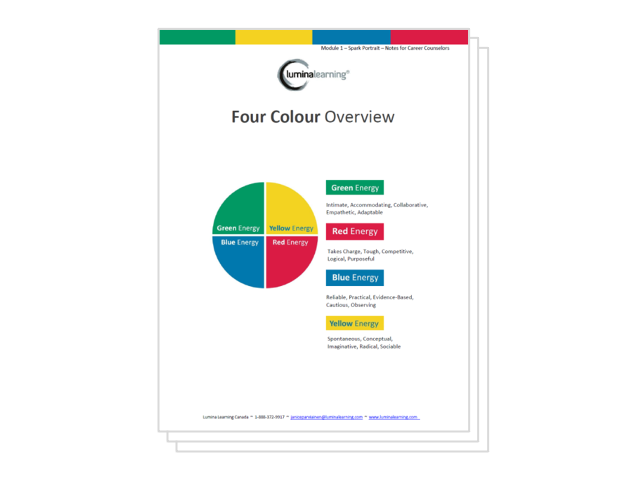
  • Four Colour Overview
  • Improve 2 Relationships with Lumina Spark activity
  • Speed Reading Using the Twenty-Four Qualities
  • Suggestions for Enhanced Rapport Building 
  • How to Relate to the Following Colours

Picture
  • The Spark Portrait
  • Spark Portrait for Job Seekers Video
  • Spark Portrait for Job Seekers Workbook

Picture
  • Complete the second half of the The Spark Portrait eLearning from the Lumina for ALiGN Associates eLearning program to learn how to facilitate each activity.
  • Download a PDF version of the handouts upon successfully completing the course quiz.
  • Create a lesson plan and notes based on the training option being used.

Picture
  • Facilitate a training session, in a classroom or virtual classroom setting, in which you review the same information and activities described in the eLearning.

Picture
  • Continue with lessons and activities provided in The Splash App of the Lumina for ALiGN Associates program.
← Spark Portrait Workbook
Strategies for Working Together →
Picture
Picture
Picture

Copyright © 2024 OTEC
  • Home
  • Table of Contents
  • Career Counsellor
    • The Spark Portrait
    • The Splash App
    • Presentation (1 of 2)
    • Presentation (2 of 2)
    • Lumina Splash App
    • Facilitator Guide
    • Job Seeker Dashboard
    • Job Aid for Employers
  • Job Seekers
    • Spark Portrait - Video
    • Spark Portrait - Workbook
    • Notes for Career Counsellors
    • Strategies for Working Together
    • Job Seeker Questionnaire
    • Completing the Assessment
    • My Personal ALiGN Guide
    • Job Fit Guide
    • Job Ad Activity - Examples
    • ALiGN Career Workbook
    • Lumina Splash App Instructions